


Email threats are becoming harder to spot as attackers move beyond simple spam and into more deceptive tactics, including QR code phishing and password theft schemes designed to bypass traditional security filters. Security agencies and major technology companies have repeatedly warned that phishing remains one of the most common ways criminals gain access to personal accounts, company networks, and financial systems.
For everyday users, business owners, and students who rely on email daily, understanding how these attacks work is now considered basic digital literacy. This article breaks down the two fastest-growing forms of email-based fraud, QR code phishing and credential theft, in plain language, along with practical steps recommended by official cybersecurity organizations.
What Are Email Threats?
Email threats refer to any malicious activity that uses email as the delivery method to steal data, money, or access. This includes phishing emails, fake attachments, malware links, and impersonation scams such as business email compromise.
Because almost every online account, banking, social media, and workplace tools are tied to an email address, a compromised inbox can quickly turn into a much larger security problem. Cybercriminals understand this, which is why email remains a preferred entry point for cyberattacks.
What it means: If someone gains access to your email account, they may be able to reset passwords for other services, impersonate you, or access sensitive personal and financial information.
Understanding Traditional Email Phishing
Phishing emails are designed to look like they come from a trusted source, a bank, employer, delivery company, or government agency. The goal is to trick the recipient into one of three actions:
- Clicking a malicious link
- Downloading a fake attachment
- Entering login credentials on a fraudulent page
The Cybersecurity and Infrastructure Security Agency (CISA), the National Security Agency (NSA), the FBI, and the Multi-State Information Sharing and Analysis Center jointly explain that attackers typically use phishing for one of two goals: stealing login credentials or delivering malware to a victim’s device. Their joint guidance, “Phishing Guidance: Stopping the Attack Cycle at Phase One,” notes that user education alone is not sufficient, and organizations need layered technical defenses in addition to awareness training.
Common Signs of a Phishing Email
- Urgent or threatening language (“your account will be suspended”)
- Sender addresses that look slightly altered or misspelled
- Generic greetings instead of your actual name
- Requests to verify a password or payment detail
- Unexpected attachments, especially ZIP or executable files
- Links that don’t match the organization’s real website when hovered over
What it means: A single careless click on a phishing link can lead to malware installation or a fake login page designed purely to harvest usernames and passwords.
The Rise of QR Code Phishing (“Quishing”)
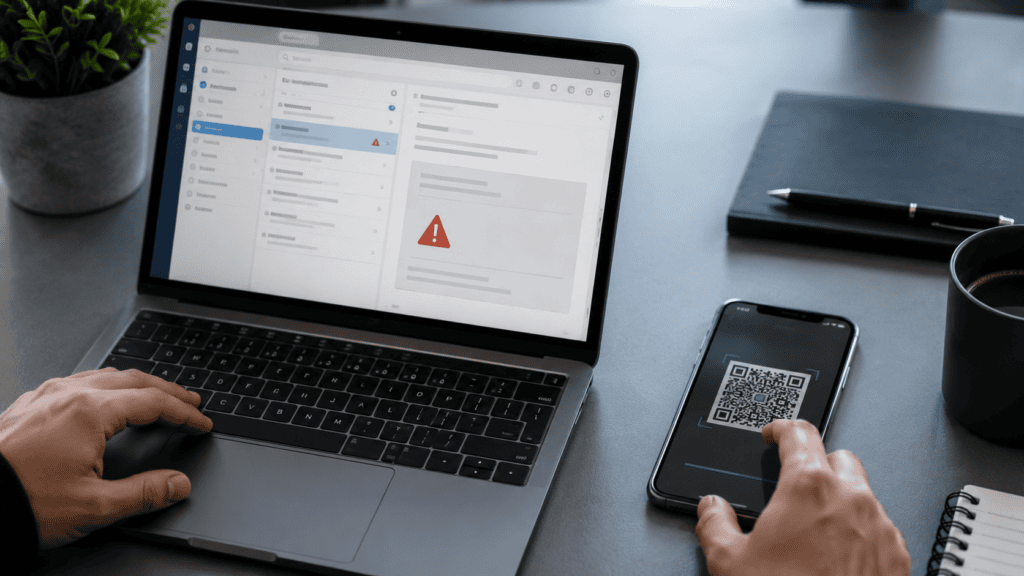
One of the more recent developments in email threats is the use of QR codes to hide malicious links. This technique, sometimes referred to informally as “quishing,” embeds a scannable QR code inside an email instead of a traditional clickable link.
The tactic works for a specific reason: many email security tools scan and filter text-based URLs, but they often struggle to analyze image-based QR codes the same way. When recipients scan the code with a smartphone, attackers often move them outside the organization’s protected email environment and onto a personal mobile device that may lack the same security controls.
The FBI has documented real-world cases involving this technique. In one advisory coordinated with CISA, the FBI described a spearphishing campaign in which a QR code embedded in an email invitation redirected victims to a fraudulent login page designed to harvest account credentials after they scanned the code on their phone. The advisory noted that this approach can be effective because it shifts the interaction away from a corporate device and its security protections to a mobile device outside that safety net.
Why QR Code Phishing Works
| Factor | Why It Matters |
| Bypasses link scanners | Many email filters are built to inspect URLs, not embedded images |
| Moves the victim to the mobile | Personal phones often have fewer security tools than work computers |
| Feels familiar | QR codes are widely used for menus, payments, and check-ins, so users don’t always question them |
| Hides the real destination | The actual web address is not visible until after scanning |
What it means: Readers should treat QR codes inside unexpected emails with the same suspicion as a suspicious link, because that is exactly what they are.
How Password Theft Happens Through Email
Password theft, also called credential theft, is often the end goal of both traditional phishing and QR code phishing campaigns. Attackers use several methods to capture login credentials through email:
- Fake login pages: A link or QR code leads to a page that looks identical to a legitimate service (such as a Microsoft, Google, or banking login screen), but any information entered is sent directly to the attacker.
- Malicious attachments: Files disguised as invoices, resumes, or shipping documents can contain malware that logs keystrokes or steals stored browser passwords.
- Session and token theft: More advanced attacks attempt to capture authentication session tokens, which can allow an attacker to bypass multi-factor authentication (MFA) without needing the password at all.
- Business Email Compromise (BEC): Attackers impersonate executives, vendors, or colleagues to convince employees to share credentials, change payment details, or approve fraudulent transactions.
Cisco’s security research describes BEC as a specialized and highly targeted form of phishing that exploits trust and organizational hierarchy rather than relying on mass-distributed spam, which is part of why it can be harder for employees to detect.
What it means: Because attackers increasingly aim to steal active login sessions rather than just passwords, having a strong password alone is no longer enough, modern account protection also depends on how authentication is enforced.
Real-World Context: Why This Matters Now
Email-based fraud continues to be flagged by government cybersecurity agencies as a leading initial access method used in cyberattacks. CISA’s guidance for businesses highlights phishing as one of the most common cyber threats organizations face, and recommends that companies pair employee awareness training with technical safeguards such as strong password policies and multi-factor authentication.
Because attacker techniques change frequently, readers should check official sources such as CISA, the FBI’s Internet Crime Complaint Center (IC3), and Microsoft’s Security Blog for the most current advisories, as specific threat trends can shift month to month.
How to Protect Yourself From Email Threats
For Individuals
- Never scan a QR code from an unexpected or unsolicited email
- Hover over links to check the real destination before clicking
- Avoid entering passwords on any page reached via an email link, instead, navigate to the official website directly
- Use a password manager to avoid reusing passwords across accounts
- Enable multi-factor authentication, preferably using an authenticator app or security key rather than SMS codes
- Report suspicious emails using your provider’s “Report Phishing” feature
For Businesses
CISA recommends several core protections for organizations, including:
- Enforcing strong, long passwords (ideally 16+ characters or a random passphrase)
- Requiring multi-factor authentication across email, file storage, and remote access systems
- Verifying suspicious requests through a separate communication channel, not by replying to the email itself
- Conducting regular, ongoing phishing-awareness training rather than a single annual session
- Deploying email authentication protocols such as SPF, DKIM, and DMARC to reduce domain spoofing
What it means: A layered defense, combining technical controls with regular staff awareness, significantly reduces the chances that a single phishing email leads to a full account or network compromise.
Fresh Global News Analysis
The shift toward QR code phishing reflects a broader pattern in cybercrime: attackers consistently look for gaps between security tools and everyday user behavior. Email filters have become more effective at catching obvious malicious links and attachments, so criminals have adapted by using formats, like scannable images, that fall outside the reach of many automated scanners.
At the same time, password theft techniques have evolved from simple credential harvesting to more advanced session-token attacks aimed at defeating multi-factor authentication altogether. This suggests that while MFA remains an important safeguard, it should be treated as one layer of protection rather than a complete solution.
For the general public, the most practical defense remains consistent skepticism: verifying unexpected requests, avoiding shortcuts like scanning unfamiliar QR codes, and using official channels to confirm anything that involves passwords, payments, or sensitive data.
Key Takeaways
- Email threats now go beyond spam and include sophisticated tactics like QR code phishing and credential harvesting.
- QR code phishing can bypass traditional link-scanning security tools by moving the interaction to a mobile device.
- Password theft increasingly targets authentication sessions, not just passwords, to bypass MFA.
- Business Email Compromise remains a serious threat because it relies on impersonation and trust rather than obvious malware.
- Strong passwords, multi-factor authentication, and verification through separate channels remain core defenses recommended by official agencies.
- Readers should consult CISA, FBI IC3, and Microsoft Security Blog directly for the latest official guidance, as threats evolve quickly.
Conclusion
Email threats continue to evolve as attackers find new ways around traditional security defenses, and QR code phishing and password theft are two of the clearest examples of this shift. While the methods may change, the underlying goal stays the same: tricking users into handing over access to their accounts. Staying informed about how these email threats work, and following basic verification habits before clicking, scanning, or entering login credentials, remains one of the most effective ways for individuals and businesses to reduce their risk.
Frequently Asked Questions
Q1. What are the most common types of email threats today?
The most common email threats include traditional phishing emails, fake attachments containing malware, QR code phishing, and business email compromise scams that impersonate executives or vendors.
Q2. What is QR code phishing?
QR code phishing, sometimes called “quishing,” is when attackers embed a malicious QR code inside an email instead of a clickable link. Scanning the code redirects the victim to a fraudulent website, often designed to steal login credentials.
Q3. Why is QR code phishing harder to detect than regular phishing?
Because QR codes are images rather than text-based links, many automated email security tools have a harder time scanning and flagging them compared to traditional URLs.
Q4. How does password theft happen through email?
Password theft typically occurs when a victim enters their credentials on a fake login page linked from a phishing email, or when malware from an attachment captures stored passwords or keystrokes.
Q5. Can multi-factor authentication fully prevent password theft?
Multi-factor authentication significantly reduces risk, but some advanced attacks attempt to steal active session tokens, which can bypass MFA. This is why MFA should be combined with other safeguards, not relied on alone.
Q6. What should I do if I receive a suspicious email with a QR code or link?
Do not scan the code or click the link. Instead, verify the sender through a separate, known communication channel, and report the email using your provider’s phishing report feature.