



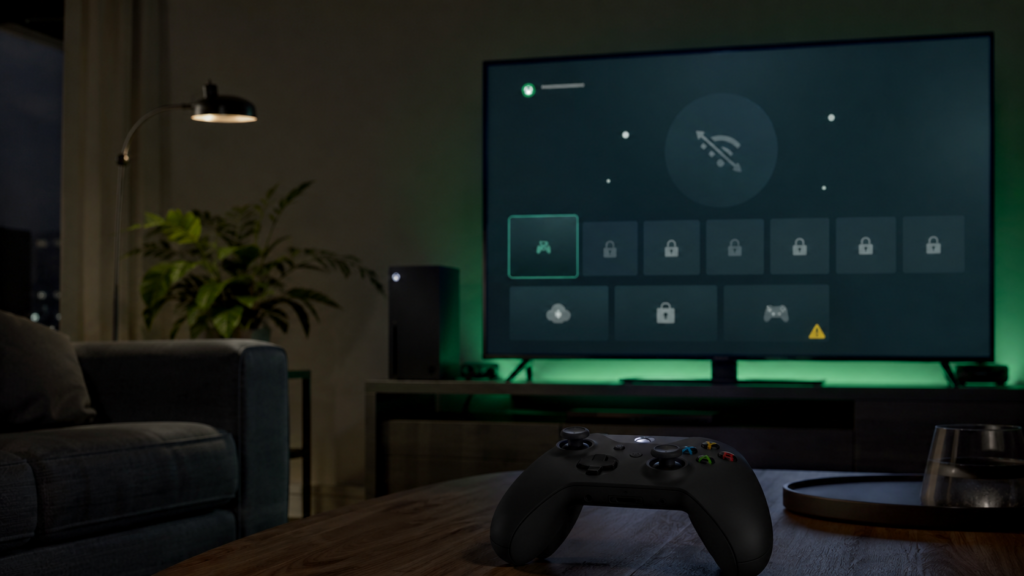
If your Xbox dashboard loaded fine this week but every digital game refused to open, you weren’t imagining things. Starting in the early hours of July 27, 2026, Microsoft’s Xbox Network ran into a major service disruption that kept players worldwide from signing in, launching purchased titles, and using several core online features. By the time reports peaked, thousands of gamers had flagged the same problem on outage-tracking sites and social media, making this one of the more disruptive Xbox incidents in recent memory.
If you’re here because you’re staring at an error code right now, you’re in the right place. This guide breaks down what actually went wrong, why it hit digital games so hard, how long it lasted, and what you can do while you wait for Microsoft to sort it out.
Is Xbox Live Down Today?
Short answer: yes, for a large number of players, and the effects lingered even after the initial spike passed. Down Detector logged a sharp climb in complaints overnight, with reports reaching well over 3,000 at the peak before gradually tapering off as tracked reports fell from roughly 3,296 near midnight to about 700 by 9 a.m. the following morning. Even as the numbers dropped, plenty of users kept running into the same login and launch failures, which suggests Microsoft’s fix rolled out in stages rather than all at once.
Microsoft’s own status page reflected the scale of the problem. At one point in the afternoon, the page was still listing major outage conditions across account and profile access, store and subscription purchases, games and gaming, and the apps and mobile experience. That’s a wide net, essentially the core pillars of what makes an Xbox an Xbox.
What’s Causing the Xbox Network Down Reports?
The pattern reported by affected players points to an authentication breakdown rather than a simple connectivity hiccup. Xbox Network needs to verify that you actually own a digital title before it lets you launch it, and that verification process is what broke down during this outage. As one outlet covering the incident put it, the problem wasn’t with a player’s internet connection or console hardware; Microsoft’s servers were failing to confirm ownership of games players already had installed.
That’s an important distinction. If your Xbox showed a fully downloaded, fully paid-for game as suddenly locked, it wasn’t a fluke on your end. It was Microsoft’s licensing check failing somewhere upstream, and there wasn’t much an individual player could do to route around it besides wait.
Why Fully Installed Games Still Wouldn’t Launch
This is the detail that frustrated the most people. Normally, once a game is installed on your console, you’d expect it to open even if your connection is a little shaky. But Xbox Network’s digital rights checks happen at launch, not just at sign-in, so when that check couldn’t complete, the game simply refused to start, regardless of how solid your home Wi-Fi was.
Xbox Error 0x87e107df: What It Means and Why You’re Seeing It
If you searched for this article because of a specific error code, here’s the plain-language version: error code 0x87e107df is a server-side Xbox Network error that typically shows up when Microsoft’s authentication systems can’t verify a player’s digital game license. It’s not tied to your console’s storage, your account settings, or a corrupted save file. It’s a signal that Xbox’s backend couldn’t complete the ownership check your console requested.
Seeing this code during a known outage window is a strong indicator that you’re caught in the broader service disruption, not dealing with a device-specific problem. There’s typically nothing to troubleshoot on your side beyond the basic steps below.
Featured Snippet Answer: What Does Error 0x87e107df Mean?
Error 0x87e107df on Xbox means the console couldn’t confirm your license to play a digital game because Microsoft’s authentication servers were unavailable or overloaded. It usually resolves on its own once Xbox restores the affected services.
Xbox Sign-In Issue: What Players Experienced
Beyond the error code, the most common complaint was simply not being able to sign in at all. Some players got stuck on a loading screen; others could sign in but then hit a wall trying to open their game library. According to outage data, game launch failures made up the largest share of complaints, accounting for about 67% of reported issues.
Smaller but still notable groups of users reported problems with:
- Cloud gaming and remote play sessions failing to start
- In-game purchases and store browsing
- Friends lists, clubs, and social/notification features
- Syncing saved game data to the cloud
This mirrors patterns seen in the service’s outage history tracked by monitoring services, which note that disruptions have repeatedly touched store and subscription purchases, social features like clubs and notifications, and cloud gaming launches during past incidents.
Xbox Not Working? Here’s What Microsoft Said
Microsoft’s support team acknowledged the problem publicly rather than staying quiet about it. Xbox Support’s statement, as relayed by outlets covering the story, confirmed engineers were aware of sign-in failures, library visibility problems, and launch errors, and that a fix was underway. A later update indicated conditions were improving, though the company cautioned that players around the world might still run into failures launching games along with lingering sign-in and purchase issues while the rollout continued.
No firm restoration timeline was given at the outset, which is fairly typical for large-scale authentication outages; these tend to resolve in waves as Microsoft brings services back region by region rather than flipping a single switch.
Is This a One-Off, or Does Xbox Go Down Often?
If this feels familiar, that’s because it is. Xbox Network, and Xbox Live before its rebrand, has a track record of periodic large-scale outages. A previous incident kept the service offline for close to seven hours, with Down Detector reports climbing into the tens of thousands at their peak before Microsoft resolved the underlying issue. Another separate incident, tracked months earlier in 2026, saw complaints spike past 2,000 in a shorter, roughly half-hour disruption tied to game-save syncing.
Long-term monitoring of the service shows a consistent pattern: outages tend to cluster around account access, purchases, and cloud gaming, the same categories affected this time around. That doesn’t make today’s outage any less inconvenient, but it does mean Microsoft has a well-worn playbook for identifying and rolling back whatever changed.
What To Do While Xbox Network Is Down
You can’t force Microsoft’s servers back online faster, but a few steps can help you make the most of a bad situation or confirm you’re actually dealing with the outage and not a local problem.
- Check the official Xbox status page before troubleshooting your own hardware. If it shows active incidents matching your symptoms, the problem is on Microsoft’s end.
- Follow the Xbox Support account on X (formerly Twitter) for the fastest updates, since status page changes can lag behind real-time announcements.
- Try switching your console to offline mode temporarily. This workaround has let some players access certain offline-capable games and apps like streaming services during past outages, even while sign-in servers were struggling.
- Avoid repeatedly restarting your console. Power-cycling won’t fix a server-side authentication failure, and it can cost you time better spent waiting for the fix to roll out.
- Hold off on new purchases until service is confirmed stable, since store and subscription features are often among the last things restored.
Frequently Asked Questions
Q1. Is Xbox Live down right now?
Check the official Xbox status page and Xbox Support’s account on X for the most current information, since outage conditions can change quickly, sometimes clearing in one region before another.
Q2. Why can’t I launch a game I already own?
Your console needs to verify your license with Xbox Network servers before launching a digital title. If that verification process is down, fully installed games will refuse to open even though nothing is wrong with your download.
Q3. What does error 0x87e107df mean on Xbox?
It’s a server-side error indicating Xbox Network couldn’t confirm your digital game license, almost always tied to a broader outage rather than an issue with your specific console or account.
Q4. How long do Xbox outages usually last?
It varies widely. Some incidents clear within thirty minutes to an hour, while larger ones have stretched past five to seven hours. Authentication-related outages, like this one, often resolve gradually rather than all at once.
Q5. Will I lose progress or purchases during an outage?
Generally no. Outages typically affect access and verification, not the data itself. Cloud saves and purchase records are usually restored once services come back online, though it’s wise to avoid new purchases mid-outage until things stabilize.
Bottom Line
This week’s Xbox outage hit right at the core of what makes the platform work: sign-ins, license verification, and access to games people already paid for. Thousands of players felt it, and while Microsoft moved to acknowledge and address the issue, the fix rolled out gradually rather than instantly. If you’re still seeing error 0x87e107df or can’t sign in, the most useful thing you can do is keep an eye on Xbox’s official status channels rather than troubleshooting a device that likely isn’t the problem.
Check back on the official Xbox status page for real-time updates, and bookmark this guide so you have a quick reference the next time Xbox Network hiccups.
Sources & References
- Windows Central, It’s not just you: Xbox is down for everyone right now
- WSLS, Xbox Live down? Thousands report sign-in, game launch issues
- Gadget Hacks, Xbox Live Outage: Why Games Won’t Launch and What to Do
- StatusGator, Xbox Live Status
- Official Xbox Support status page: support.xbox.com