



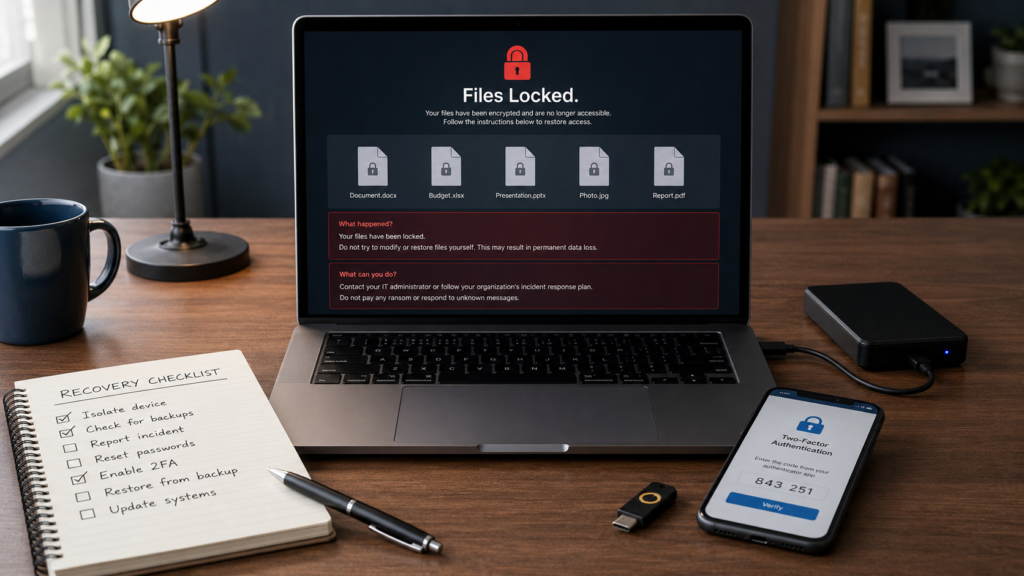
Ransomware has become one of the most disruptive threats in modern cybersecurity. It can lock individuals out of personal photos, freeze a small business’s order system, shut down a hospital’s patient records, or force a school district to cancel classes. Unlike many cyber threats that quietly steal information in the background, ransomware is loud and immediate; it announces itself, often with an on-screen message demanding payment.
Because ransomware can affect anyone, from a single home computer to an entire city government, understanding how it works and how to prevent it has become an essential piece of everyday digital literacy. This guide explains what ransomware is, how it spreads, who is most at risk, and what concrete steps individuals and businesses can take to reduce that risk.
What Is Ransomware?
Ransomware is a type of malicious software (malware) that blocks access to a computer, device, or files, usually by encrypting them, until the victim pays a ransom to the attacker. Some ransomware also steals copies of files before locking them, threatening to leak the data if payment isn’t made. Ransomware can affect individuals, schools, hospitals, businesses, and government agencies, and recovery is never guaranteed, even after payment.
How Does Ransomware Work?
At a high level, a ransomware attack typically unfolds in a few general stages. This explanation is intentionally non-technical and does not describe specific attack techniques.
- Initial contact. A person receives a deceptive email, text message, or link, or visits a compromised website. In other cases, attackers use stolen login credentials or an exposed remote access connection to get in.
- Malware activation. If the person interacts with the malicious content, for example, opening an infected attachment, malicious software can install itself on the device.
- Spread within a network. On business networks, the malware may spread from one device to other devices connected to the same system.
- Encryption or lockout. The ransomware encrypts files or locks the system, making data unreadable or inaccessible without a special digital key.
- Ransom demand. A message appears demanding payment, usually in cryptocurrency, in exchange for the decryption key.
- Recovery attempt. Victims may recover using clean backups, professional incident response support, or, in some cases, law enforcement and cybersecurity agency guidance. Recovery without backups or expert help is often difficult.
This article does not describe how ransomware is built, deployed, or spread in technical detail, since that information could enable harm.

Ransomware vs Malware: What Is the Difference?
Ransomware is a type of malware, but not all malware behaves the same way. Understanding the differences helps clarify why ransomware is treated as a distinct and serious threat.
| Term | What It Does | Primary Goal |
| Malware | General term for any malicious software, including viruses, worms, trojans, and ransomware | Varies, disruption, theft, control, or damage |
| Ransomware | Encrypts or locks files/systems and demands payment for access | Extort money from the victim |
| Spyware | Secretly monitors activity, keystrokes, or communications | Collect information without detection |
| Phishing | A deceptive message or website designed to trick someone into clicking a link or sharing information | Steal credentials or deliver malware |
| Data Breach | Unauthorized access to or exposure of sensitive data | Often theft or exposure, sometimes a result of ransomware |
In short, phishing is often the delivery method, malware is the broad category, and ransomware is a specific, financially motivated outcome, locking your data and demanding payment to release it.
Why Ransomware Is So Dangerous
Ransomware causes harm on multiple levels at once, which is part of why it draws so much attention from cybersecurity agencies and the news media.
- Locked files: Personal photos, school assignments, financial records, or business documents can become completely inaccessible.
- Business downtime: Companies may be unable to process orders, access patient records, or run essential systems for days or weeks.
- Stolen data risk: Many modern ransomware attacks also steal a copy of data before encrypting it, a tactic often called “double extortion.” Even if a victim restores from backup, stolen data can still be leaked.
- Financial loss: Costs include potential ransom payments, IT recovery work, legal fees, regulatory fines, and lost revenue during downtime. According to IBM’s Cost of a Data Breach report, the average ransomware breach cost reached $5.08 million in 2025, higher than the overall average breach cost.
- Reputational damage: Customers, patients, or students may lose trust in an organization after an incident becomes public.
- Disruption to critical services: Ransomware attacks on hospitals and school districts have forced facilities to cancel appointments, postpone surgeries, or pause classes. In February 2026, a ransomware attack on the University of Mississippi Medical Center forced the closure of all 35 clinic locations statewide and the cancellation of scheduled appointments and elective surgeries, pushing clinicians back to pen-and-paper documentation.
- Stress for victims: Beyond financial cost, victims often describe the experience as stressful and disorienting, especially when family photos, school records, or medical information are involved.
- Recovery uncertainty: No guarantee paying a ransom restores access or prevents stolen data from being leaked.
Common Ways Ransomware Spreads
Ransomware doesn’t need advanced hacking skills to succeed, it usually relies on common, preventable mistakes or gaps in basic security hygiene. Common entry points include:
- Phishing emails with deceptive links or requests
- Malicious attachments disguised as invoices, resumes, or shipping notices
- Fake software downloads or cracked/pirated applications
- Weak or reused passwords that are easy to guess
- Stolen login credentials, often purchased from earlier data breaches
- Outdated software with unpatched security flaws
- Unsecured remote access tools, especially on business networks
- Infected or compromised websites
- Compromised vendors or third-party software used by a business
Phishing remains one of the most common starting points for ransomware because it targets human judgment rather than a technical flaw, which is also why employee and family awareness training is one of the most effective defenses.
Who Is Most at Risk?
Ransomware does not target only large corporations. Risk is widespread across many groups:
- Individuals who click on unfamiliar links or reuse passwords across accounts
- Remote workers using home networks or personal devices for work
- Small businesses that often lack dedicated IT security staff
- Schools and universities, which hold large amounts of personal data with limited security budgets
- Hospitals and healthcare systems, where outdated equipment and the urgency of patient care can make security harder to enforce
- Local governments, which often run older systems with limited cybersecurity funding
- Organizations with weak or untested backups
- People who reuse passwords across multiple accounts and services
Small businesses in particular are frequently targeted because they often combine valuable data with limited cybersecurity resources, a mix that makes them an efficient target for attackers.
Warning Signs of a Ransomware Attack
Recognizing the early signs of an attack can help limit the damage. Common warning signs include:
- Files suddenly renamed, missing, or showing unfamiliar file extensions
- A ransom note appearing on the screen or desktop
- Unusual pop-up windows or alerts
- A noticeably slower computer or network
- Sudden lockouts from accounts or systems
- Unknown programs running or installed without explanation
- Antivirus or security software is being unexpectedly disabled
- Unusual login alerts or notifications from unfamiliar locations
If you notice several of these signs at once, treat it as a potential active incident and follow the response steps below.
How to Protect Yourself From Ransomware
The good news: most ransomware risk can be significantly reduced through consistent cyber hygiene. Use this checklist as a baseline for both personal and business protection.
Ransomware Prevention Checklist
- Keep regular, tested backups of important files
- Update your operating system, browser, and apps promptly
- Use strong, unique passwords for every account
- Enable two-factor authentication (2FA) wherever available
- Avoid clicking links or attachments from unknown senders
- Verify email senders before responding to unexpected requests
- Use reputable antivirus or endpoint security software
- Limit administrator-level access to only those who need it
- Disconnect a suspected infected device from the network immediately
- Provide regular cybersecurity awareness training for employees
- Secure remote access tools with strong authentication and monitoring
None of these steps requires advanced technical skill, and together they address the most common ways ransomware spreads.
Why Backups Are Your Best Defense
If ransomware locks your files, a clean, accessible backup is often the difference between a quick recovery and a serious crisis. Security agencies, including CISA, consistently highlight backups as a top defense.
- Follow the 3-2-1 rule: Keep at least three copies of your data, on two different types of storage, with one copy stored offline or in a separate, isolated location.
- Keep one backup offline or disconnected. Ransomware can spread to connected drives and cloud-synced folders, so an isolated backup is critical.
- Test your backups regularly. A backup that doesn’t restore properly isn’t a real safety net.
- Don’t rely solely on cloud sync. Cloud syncing tools (like automatic folder sync) can sometimes sync encrypted or corrupted files, so a true backup system is different from simple syncing.
- Protect backup accounts with multi-factor authentication. If an attacker can access your backup account, they may be able to delete or corrupt your backups, too.
Should You Pay a Ransom?
This is one of the most common questions after an attack, and there is no single right answer for every situation, but official guidance is consistent on several points.
- Paying does not guarantee file recovery. Some victims who pay never receive a working decryption key. In the “double extortion” model used in the large majority of recent incidents, paying the ransom does not prevent stolen data from being published anyway.
- Payment can encourage further attacks. Funding criminal operations may make future attacks more likely, both against the same victim and others.
- Professional guidance matters. Victims, especially businesses, should consult trusted IT or cybersecurity professionals, legal counsel, and (where applicable) cyber insurance providers before making any payment decision.
- Law enforcement involvement can help. Organizations that involve law enforcement in ransomware incidents have reported significantly lower average recovery costs than those that do not, according to IBM’s research.
- Report the incident to official channels. In the United States, incidents can be reported to the FBI’s Internet Crime Complaint Center (IC3) and CISA. These agencies use reports to track threats and may be able to offer guidance or, in some cases, known decryption resources for certain ransomware variants.
The decision to pay is ultimately a personal or organizational one, often shaped by legal and business considerations, which is exactly why professional and law enforcement guidance should be part of that decision, not an afterthought.
What to Do If You Are Hit by Ransomware
If you discover an active ransomware infection, calm, methodical action in the first hour matters more than speed alone.
- Disconnect the infected device from Wi-Fi, Ethernet, and any connected drives to prevent further spread.
- Do not pay immediately. Take time to assess the situation with professional input first.
- Do not delete anything related to the ransom note or infection, this may be needed for investigation or recovery.
- Contact a trusted IT or cybersecurity professional as soon as possible, especially for business environments.
- Report the incident to appropriate authorities, such as the FBI’s IC3 (ic3.gov) or CISA (cisa.gov/stopransomware), and local law enforcement if appropriate.
- Check whether your backups are intact and uninfected before attempting any restoration.
- Change your passwords from a separate, clean device, not the infected one.
- Review how the attack happened once the immediate situation is contained, so the entry point can be closed.
Businesses should treat this as the activation point for their incident response plan, if one exists. Individuals without a formal plan should still follow these same general steps and seek professional help rather than attempting complex recovery alone.
Ransomware Protection for Small Businesses
Small businesses are frequently targeted because attackers often see them as having valuable data but fewer defenses than large enterprises. Strengthening a few key areas can meaningfully reduce risk.
- Employee training: Regular, simple cybersecurity awareness training helps staff recognize phishing attempts.
- Password manager: Encourages strong, unique passwords across every business account.
- Multi-factor authentication (MFA): Adds a critical second layer of protection beyond passwords.
- Endpoint protection: Security software installed on every company device, not just servers.
- Backup testing: Backups should be verified regularly, not just created.
- Access control: Limit administrative privileges to only those who truly need them.
- Incident response plan: A simple, written plan for who to call and what to do during an attack.
- Vendor security review: Third-party software and contractors can introduce risk if not properly vetted.
- Cyber insurance consideration: Many insurers also require baseline security practices, which can improve overall protection.
- Regular software updates: Applying security patches promptly closes known vulnerabilities.
Ransomware Protection for Individuals and Families
Personal cybersecurity habits matter just as much as business-level protections, since ransomware does not discriminate between targets.
- Avoid suspicious email attachments, even from senders who appear familiar.
- Keep devices updated, including phones, laptops, and routers.
- Back up family photos and documents regularly, ideally with one offline copy.
- Use multi-factor authentication on email, banking, and cloud storage accounts.
- Use a password manager to avoid reusing passwords across services.
- Avoid pirated software or unofficial app downloads, which are common malware sources.
- Secure your home Wi-Fi with a strong password and updated router firmware.
- Teach children basic online safety, including not clicking on unknown links or downloading unfamiliar files.
Key Takeaways
- Ransomware locks or encrypts files and systems, then demands payment for their release.
- Many ransomware attacks now also steal data, raising the stakes beyond just losing file access.
- Phishing emails remain one of the most common ways ransomware spreads.
- Paying a ransom does not guarantee recovery and may not stop data leaks.
- Reliable, tested, offline backups are one of the strongest defenses available.
- Multi-factor authentication and timely software updates close common entry points.
- Small businesses, schools, and hospitals are frequent targets due to limited security resources.
- Quick, calm action, disconnect, don’t pay immediately, and get professional help, improves outcomes after an attack.
Final Thoughts
Ransomware is a serious and evolving threat, but it is not unstoppable. The vast majority of attacks rely on a small number of predictable entry points, phishing emails, weak passwords, outdated software, and unprotected remote access. That means the most effective defenses are also the most achievable ones: regular backups, prompt updates, strong and unique passwords, multi-factor authentication, basic phishing awareness, and a clear plan for what to do if something goes wrong.
Whether you’re protecting a family photo collection or a small business’s entire operation, consistency matters more than complexity. Building these habits now is the most reliable way to reduce risk before an attack ever happens.
Frequently Asked Questions
Q1. What is ransomware?
Ransomware is malicious software that locks or encrypts files or systems and demands payment, usually in cryptocurrency, before access is restored.
Q2. How does ransomware get on a computer?
It commonly spreads through phishing emails, malicious attachments, fake downloads, stolen login credentials, or outdated, unpatched software.
Q3. Can ransomware be removed?
In many cases, security professionals can remove the malware itself, but removing ransomware does not automatically decrypt locked files. Recovery typically depends on clean backups or specialized recovery support.
Q4. Should I pay a ransomware demand?
Paying does not guarantee file recovery or prevent stolen data from being leaked. Victims should consult IT professionals, legal counsel, and law enforcement before deciding.
Q5. What is the best protection against ransomware?
Regularly tested, offline backups combined with software updates, strong unique passwords, and multi-factor authentication offer the strongest overall protection.
Q6. Can phones get ransomware?
Yes. Mobile ransomware exists and typically spreads through malicious apps or links, though it is less common than ransomware targeting computers and business networks.
Q7.How can small businesses prevent ransomware?
Small businesses can reduce risk through employee training, MFA, endpoint security software, tested backups, limited admin access, and a basic incident response plan.